Brushes
Furry Canine Fur Brushes for Krita & GIMP — Canine Coat Builder
Price on DeviantArt Buy on DeviantArtPurchases are completed on DeviantArt. Check the listing for current price, availability, files and usage terms.
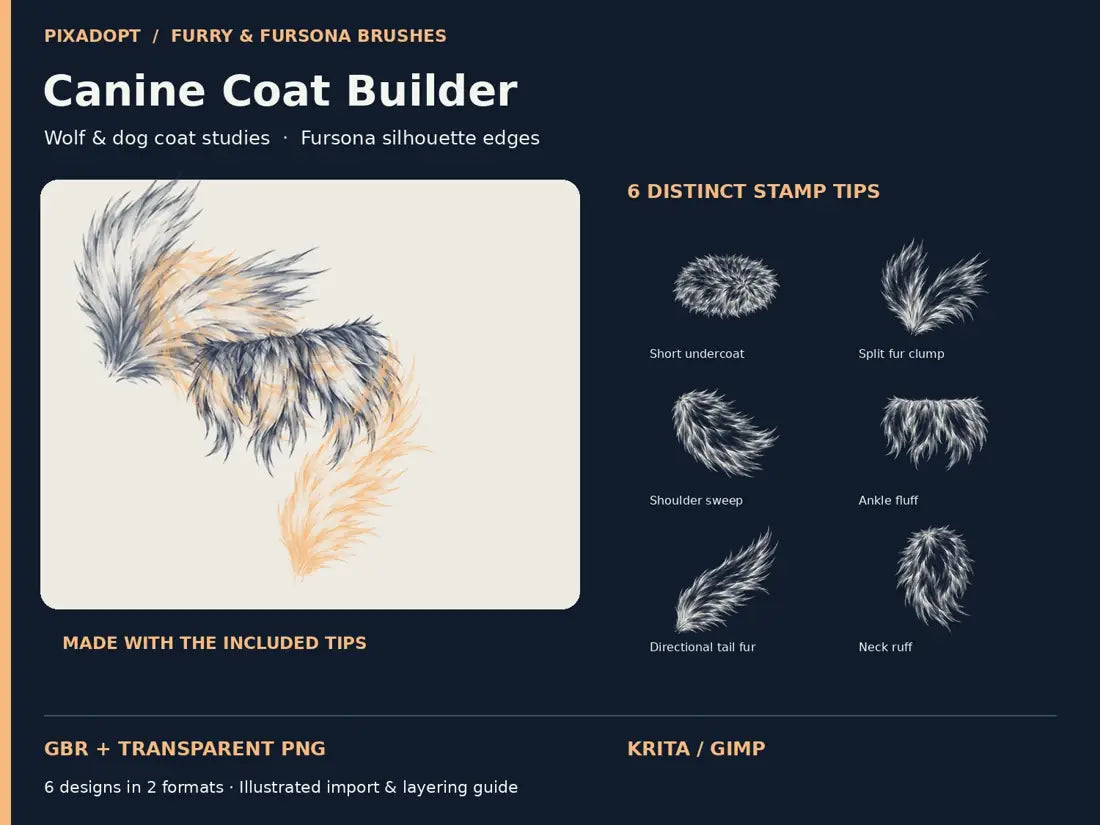
Shape stylized canine coats with six original fur stamp tips, from short undercoat to a long neck ruff. Place individual clumps along the chest, shoulders, ankles or tail of your own wolf and dog fursonas. Rotate each mark to follow the form, then mask the edges and add your own light and shadow.
Included content
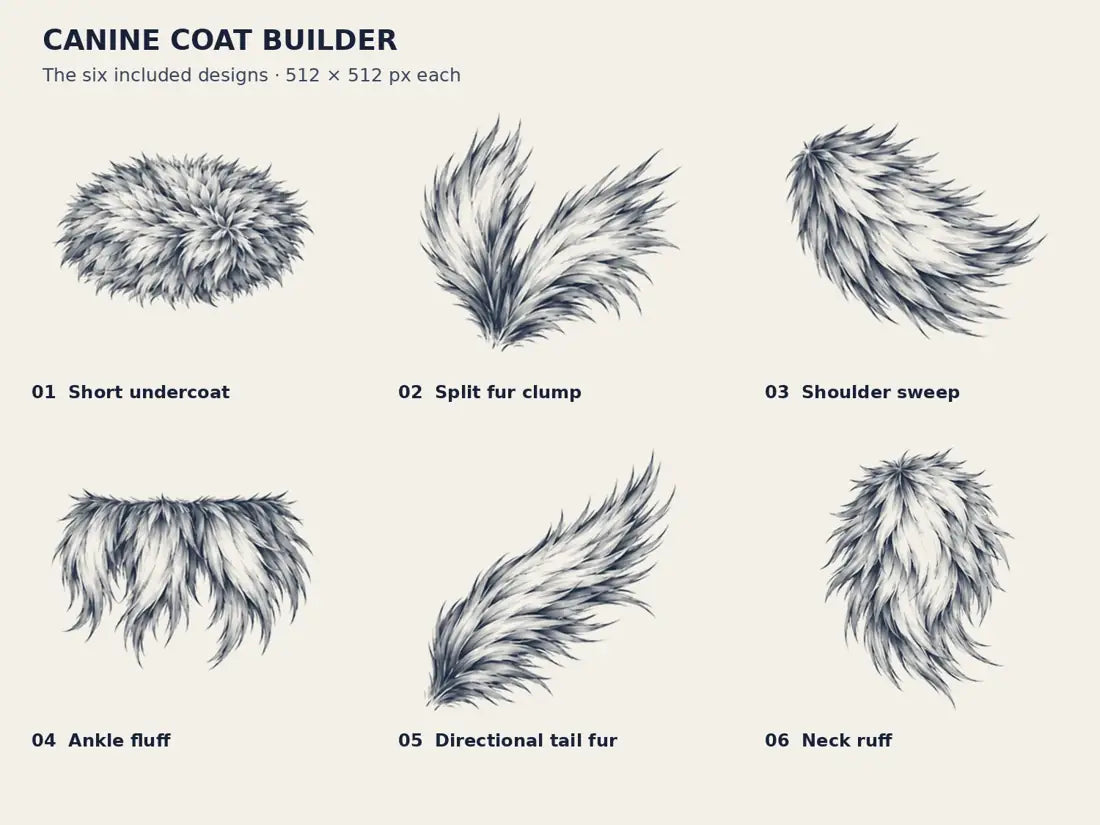
6 grayscale GBR stamp tips, 512 × 512 px each
6 matching transparent PNG stamps (the same six designs)
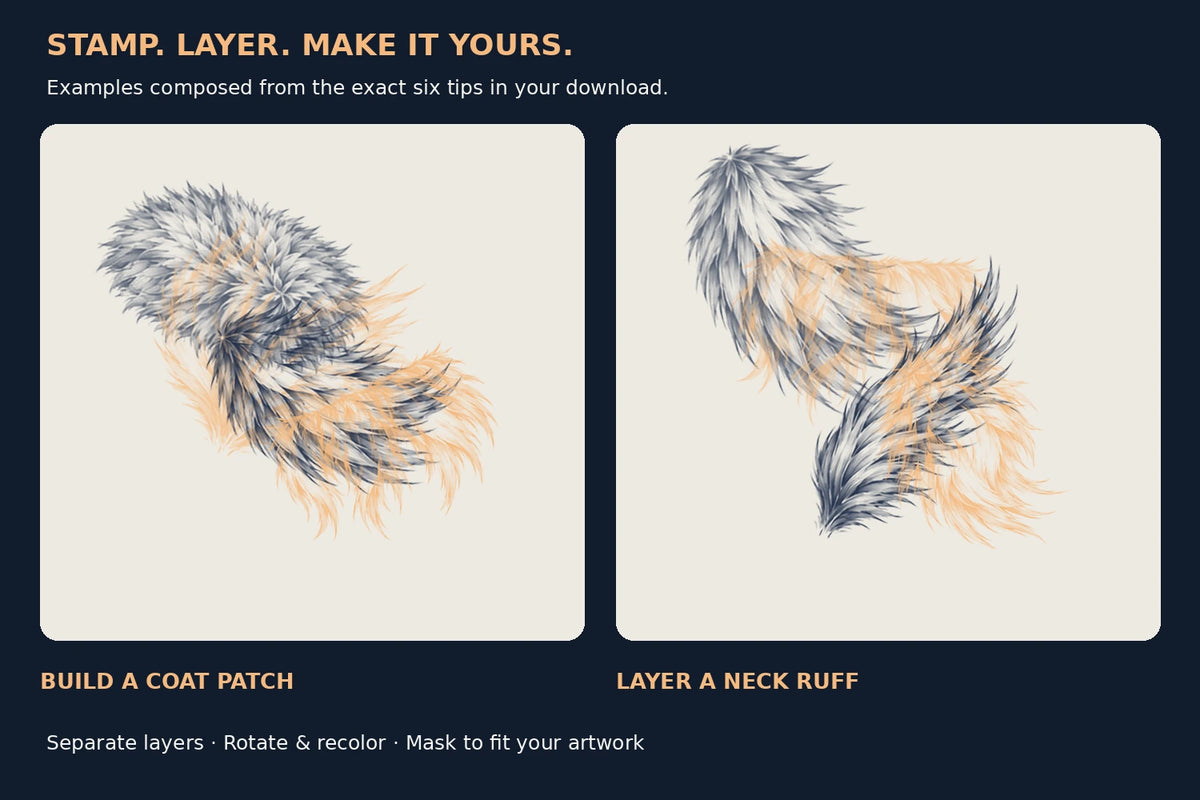
Full tip index and examples made from the delivered stamps
Step-by-step import guide, commercial-use license and checksum manifest
File formats: 6 GBR + 6 PNG
Compatibility: Krita / GIMP
Usage terms: Individual commercial use · non-exclusive
How to use: Krita: open the brush editor (F5), use the predefined brush-tip import control and select a GBR file. Choose your own size, spacing and dynamics, then save a preset if desired. GIMP: add the GBR files to your user brushes folder and refresh the Brushes panel. Start with single clicks on a new transparent layer. PNG stamps can be placed as image layers in any app that supports PNG; lock alpha or use a clipping layer to recolor. Rotate, flip and mask the marks to fit your own artwork. The examples show literal placements of the supplied tips.
Limitations: Six bitmap stamp tips, not six pressure-sensitive brush presets. GBR and PNG contain the same six designs. No Photoshop ABR, Procreate brushset, Clip Studio SUT, complete character base or seamless texture is included. Pressure response, color, spacing and blending depend on your app settings. GBR decoding and ZIP contents were verified; manual import in desktop drawing apps has not been tested.
Artwork disclosure: AI-generated ink motif sources, converted into grayscale GBR tips and matching transparent PNG stamps. Product demonstrations use the actual delivered masks.